Bevy
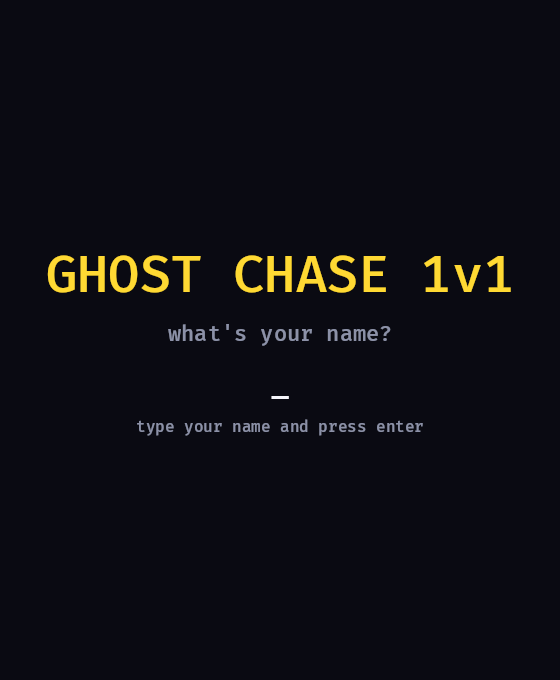
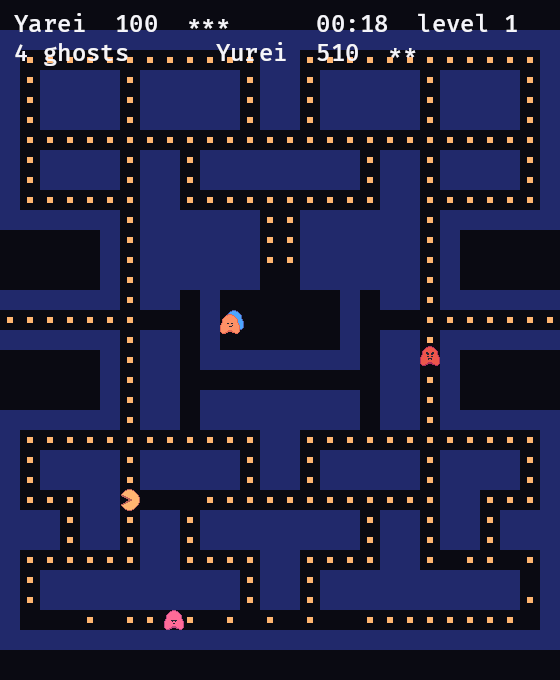
Ghost Chase 1v1 is a real-time multiplayer duel built in Rust with Bevy that wires up the full GameFlow integration: a dedicated game server per match, queue matchmaking, and skill rating. A thin backend holds the API key; the desktop client talks only to that backend.
Prerequisites
- A GameFlow account
- Rust (the repo pins the toolchain via
rust-toolchain.toml, so plaincargouses the right version) cloudflaredto expose your backend during testing- Linux only: the desktop client needs a GPU and a windowing stack. On Debian/Ubuntu, install the runtime libraries first:
sudo apt install -y libxkbcommon-x11-0 libvulkan1 mesa-vulkan-drivers
Step 1: Clone the Repository
git clone https://github.com/GameFlowGG/gameflow-bevy-multiplayer-example
cd gameflow-bevy-multiplayer-example
Step 2: Architecture
Three processes plus a pure-logic crate they share. Only the backend ever holds the API key.
| Crate | What it is | Holds the API key? |
|---|---|---|
client | The desktop app. Renders, predicts its own runner, talks only to your backend. | No |
backend | A thin axum server you host. The only holder of the GameFlow API key; it brokers every GameFlow call for the client and the server. | Yes |
server | The headless Bevy authority. GameFlow builds it from your uploaded zip and allocates one per match. | No |
shared | The whole game as plain Rust: maze, movement, ghosts, pellets, scoring, wire protocol. No Bevy, no networking. | n/a |
The game server never talks to GameFlow directly. At game over it reports the result back through the backend, which owns the key and forwards it to skill rating.
Step 3: Build the Server Zip
GameFlow builds the server from an uploaded zip. A Dockerfile at the root of
the zip wins over any engine template, which is the whole reason a Rust server
needs no platform change.
scripts/package-server.sh # writes ghostchase-server.zip
Step 4: Create a Game on GameFlow
- Create a new game on the GameFlow Dashboard and generate an org-scoped API key (Settings → API keys). It goes only in the backend's
.env. - Set Memory to
512MBand vCPU to0.5 cores. - Set the Port to
2567, protocol UDP (the server uses renet/netcode over UDP). - Enable the us-east region.
Step 5: Upload the Build
Upload ghostchase-server.zip in the builds section and wait until it reaches
success and is marked current.
Step 6: Matchmaker and Skill Model
Publish a matchmaker for game mode 1v1 with this flow:
Ticket Input → Skill Model → Skill Rule → Expansion Rule → Team Composition → Output
- Team Composition: 2 teams of 1 player.
- Create an org-scoped Skill Model (2 teams × 1 player) and select it on the Skill Model node.
- Click Publish.
Step 7: Host the Backend and Expose It
The backend holds the API key and must be reachable by your players and by the
game server. Fill crates/backend/.env:
GAMEFLOW_API_URL,GAMEFLOW_API_KEY,GAMEFLOW_GAME_IDGAMEFLOW_GAME_MODE=1v1,GAMEFLOW_REGION=us-eastGAME_BACKEND_API_TOKEN(a shared secret the game server presents when reporting results)JWT_SECRET,PORT(default8080)
Because the game server runs on GameFlow, it reaches your backend over the public internet. During testing, expose your backend with a Cloudflare quick tunnel:
set -a && . crates/backend/.env && set +a
cargo run -p ghostchase-backend                # listens on :8080

# in another terminal
cloudflared tunnel --url http://localhost:8080  # prints a public https URL
Give the game server those values in the dashboard: open your game in the GameFlow Dashboard, edit it, and add two environment variables:
GAME_BACKEND_URL= the tunnel URL printed aboveGAME_BACKEND_API_TOKEN= the same value you set in the backend's.env
Step 8: Run the Client
Point the client at your backend and press play:
GHOSTCHASE_BACKEND_URL=http://127.0.0.1:8080 cargo run -p ghostchase-client
A 1v1 needs two clients. To run both on one machine, give each its own config directory so they get distinct guest identities:
XDG_CONFIG_HOME=/tmp/gc1 GHOSTCHASE_BACKEND_URL=http://127.0.0.1:8080 cargo run -p ghostchase-client
XDG_CONFIG_HOME=/tmp/gc2 GHOSTCHASE_BACKEND_URL=http://127.0.0.1:8080 cargo run -p ghostchase-client
Press play in each: the client enqueues a ticket, GameFlow matches the two players and allocates a server for the match, and both clients connect to it.
Full Example
https://github.com/GameFlowGG/gameflow-bevy-multiplayer-example